
Contact import errors
Blank phone numbers after an import almost always mean the Phone column was formatted as Number in Excel, which strips the leading plus and can turn long numbers into scientific notation — format it as Text and re-paste. If the file will not open at all, check the format: only .xlsx and .csv are supported, so an old .xls file must be re-saved first.
Phone numbers imported blank or wrong
The most common import problem, and it happens in Excel before BuzzRelay ever sees the file.
Check the column heading first. It must be recognisable as the phone column — Phone works, and matching is case-insensitive.
Then check the cell format. A phone column formatted as Number or General:
- drops the leading
+; - drops leading zeros;
- converts long numbers to scientific notation such as
9.18765E+11.
The fix:
- Select the phone column in Excel.
- Right-click → Format Cells → Text.
- Re-paste the numbers. Reformatting alone does not bring back what was already lost.
- Save and import again.
Step 3 is the one people skip. Once Excel has converted +919876543210 to 9.18765E+11, changing the format to Text just shows the mangled value as text. The original digits are gone.
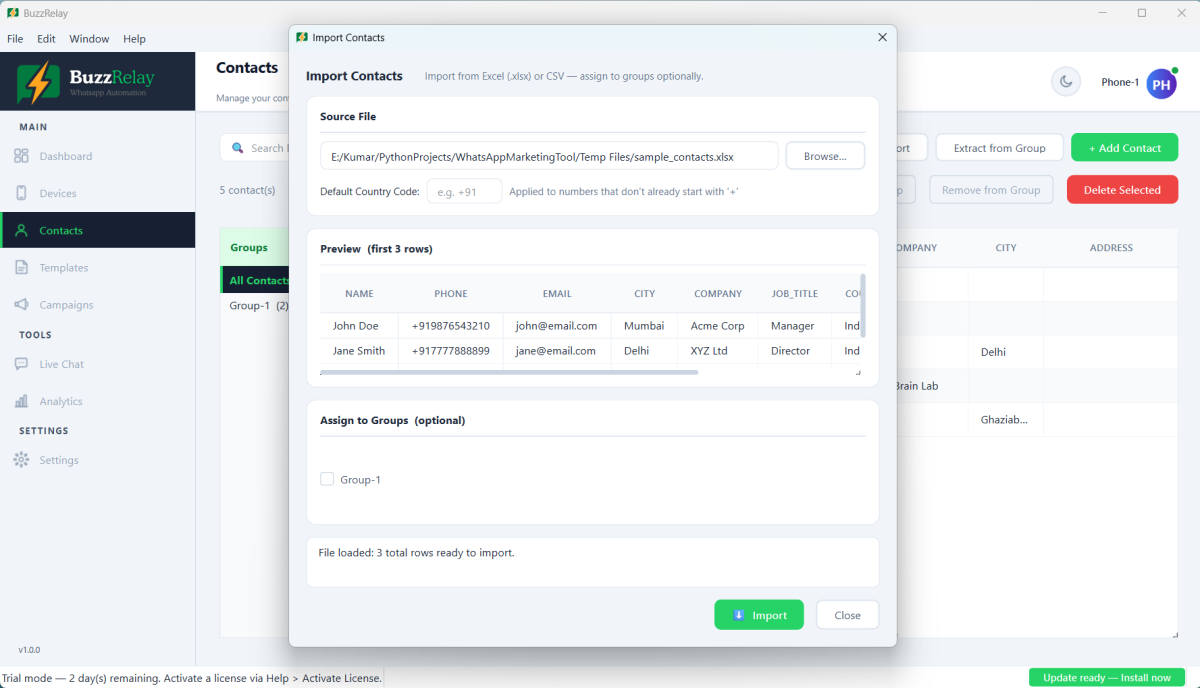
The file will not import at all
| Cause | Fix |
|---|---|
File is .xls (old format) | Open in Excel and Save As .xlsx. Only .xlsx and .csv are supported. |
| File is open in Excel | Close it — Excel locks the file. |
| Google Sheets export | Download as .xlsx or .csv rather than an ODS or PDF. |
| No Phone column | Add one. It is the only required column. |
| Headings not in the first row | Delete title rows above the headings. |
| Merged cells in the header | Unmerge them. |
Some rows imported, others were rejected
| Reason | Fix |
|---|---|
| Number invalid for its country | Wrong digit count, or the default phone region does not match that number's country. |
| No country code on a mixed-country list | Use full international format — one default region cannot suit every country. |
| Blank phone cell | Rows without a number cannot be imported. |
| Landline | Imports fine, but will never be on WhatsApp. |
| Duplicate number | Matching numbers update in place rather than duplicating. |
Fix the source spreadsheet and import again rather than editing rows individually. Re-importing is safe.
Custom fields did not come through
Extra columns become custom fields named after the heading. If yours are missing:
- The heading was blank — a column with data but no heading is ignored.
- The heading has odd characters or is very long. Keep it short and single-word:
Tier, notCustomer Tier (2026). - The column sits beyond a fully empty column, which can end the detected range. Remove empty columns between your data.
Remember the heading becomes the variable name, so a City column is used as {{city}} — double braces — see Personalise messages with variables.
Names show as PRIYA or priya
Whatever capitalisation is in the sheet is what recipients see, and {{name}} will reproduce it faithfully. Fix it in Excel before importing — the PROPER() function converts a column to title case in one step.
Start from the sample file included with your BuzzRelay download. It already has the right columns and the phone column formatted as Text, which avoids most of this page.
Frequently asked questions
Why are my imported phone numbers blank?
Usually the Phone column was formatted as Number or General in Excel, which strips the leading plus sign and can convert long numbers to scientific notation. Format the column as Text and re-paste the numbers — reformatting alone does not restore values Excel already converted.
Which file formats can BuzzRelay import?
Only .xlsx and .csv. An older .xls file must be opened in Excel and saved as .xlsx first. Make sure the file is closed in Excel when you import, since Excel locks it.
Why did my custom field columns not import?
Common causes are a blank column heading, a heading that is very long or contains unusual characters, or an entirely empty column sitting between your data columns which cuts the detected range short.
Will re-importing the same file create duplicate contacts?
No. Matching numbers update in place rather than duplicating, so correcting the source spreadsheet and importing again is the recommended way to fix import problems.
Last updated: